

How enrichment works
When you enrich a company, Metal gathers data from multiple sources, ranks and reconciles conflicting values, and writes the result back to the record. Enrichment runs asynchronously: you trigger it, and the enriched values appear on the record once processing completes.1
Trigger enrichment
Call the enrich endpoint for a company.
2
Metal sources and resolves data
Metal queries providers and AI models, then reconciles the results into a single best value per attribute.
3
Read the enriched record
Fetch the company again to read the enriched fields, such as
sector, description, financials, and timestamps like lastEnrichedAt.Enrichment is asynchronous. After triggering it, poll the company record (or wait for a webhook if configured) rather than expecting enriched values in the immediate response.
Discovered values and citations
For each attribute, Metal keeps every value it has discovered — not just the one it displays. Each discovered value carries its source, a confidence score, and when it was found, so you can always trace a value back to where it came from. Metal reconciles and ranks these candidates into a single displayed value. You can override the choice by pinning a specific value, which takes precedence over future enrichment until you unpin it.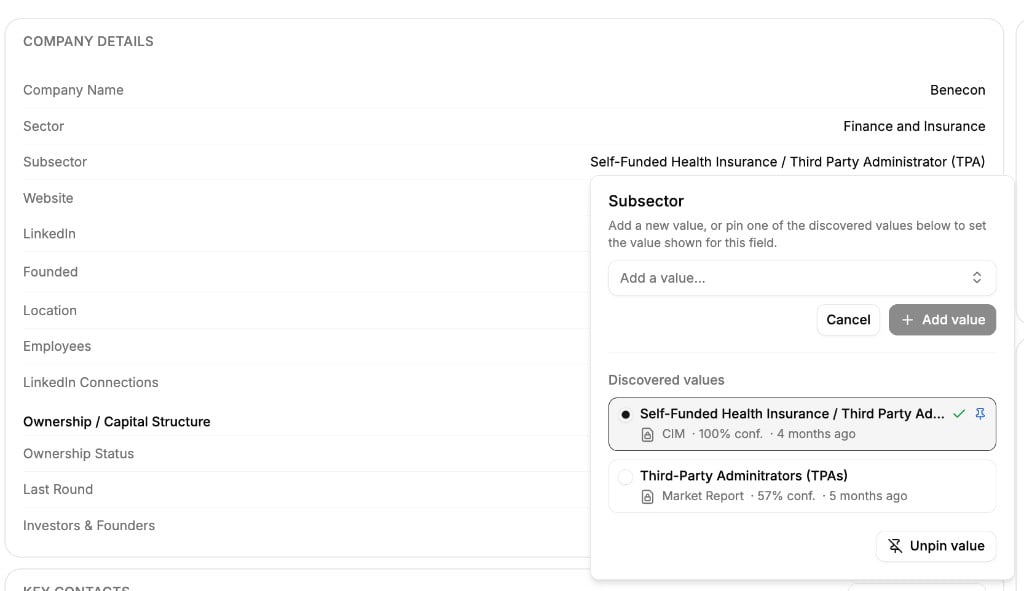
Pin a discovered value to set the value shown for a field.
Sources and what gets enriched
An admin controls which attributes Metal enriches and which sources it draws from under Settings → Enrichment. Sources are prioritized — Metal prefers higher-priority connections when it reconciles conflicting values.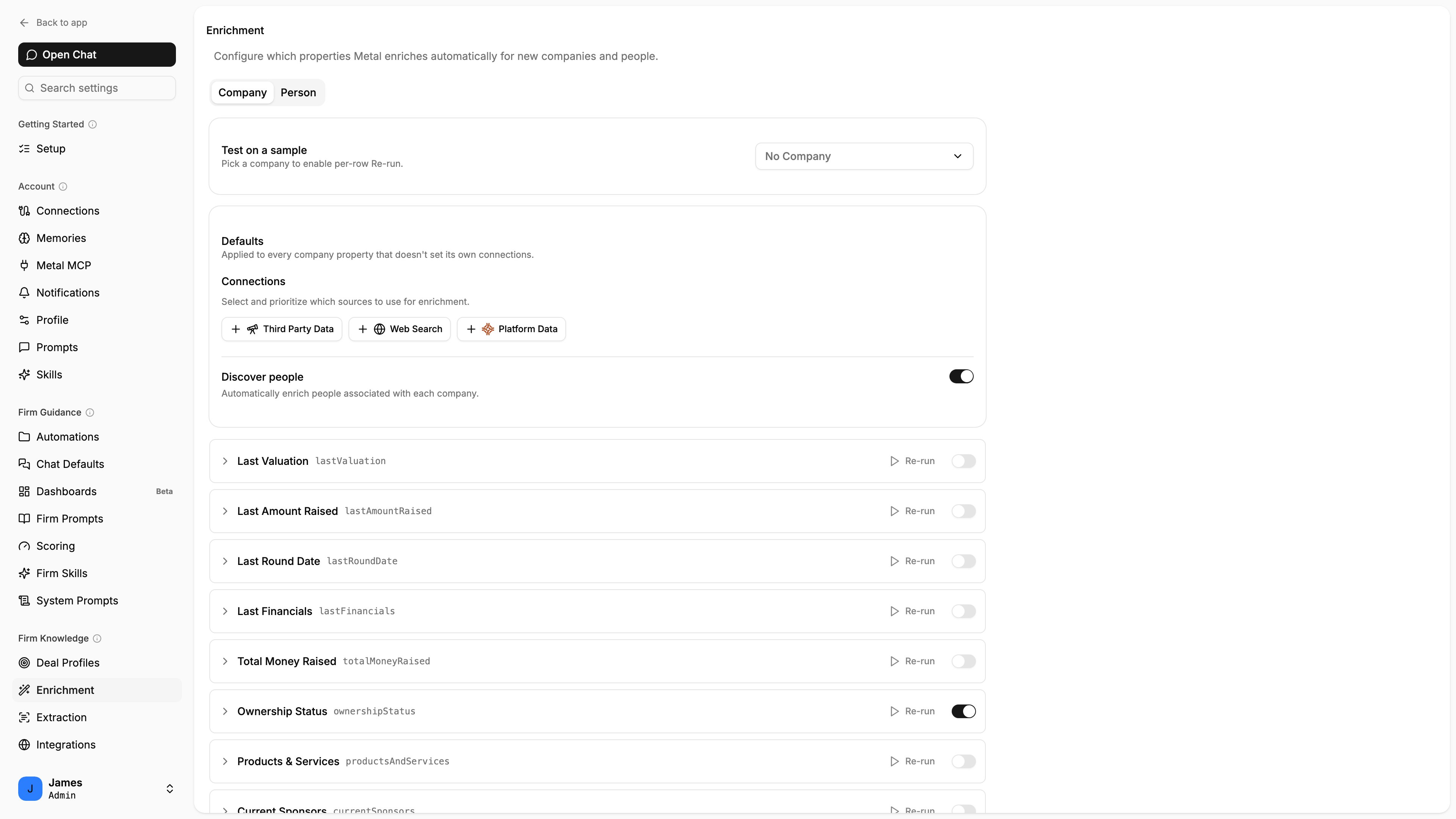
Configure which properties are enriched and prioritize the sources used.
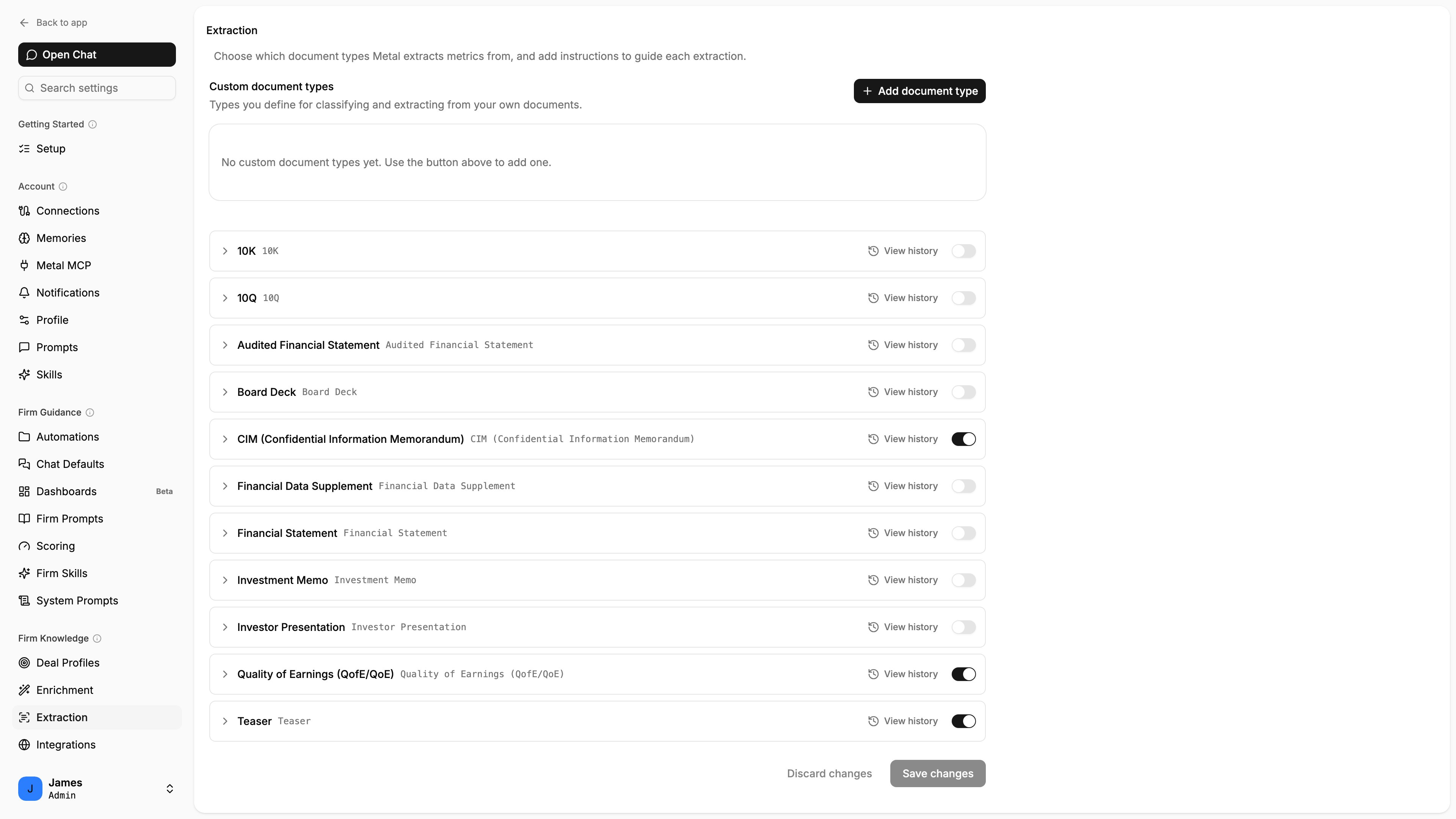
Choose which document types Metal extracts metrics from.
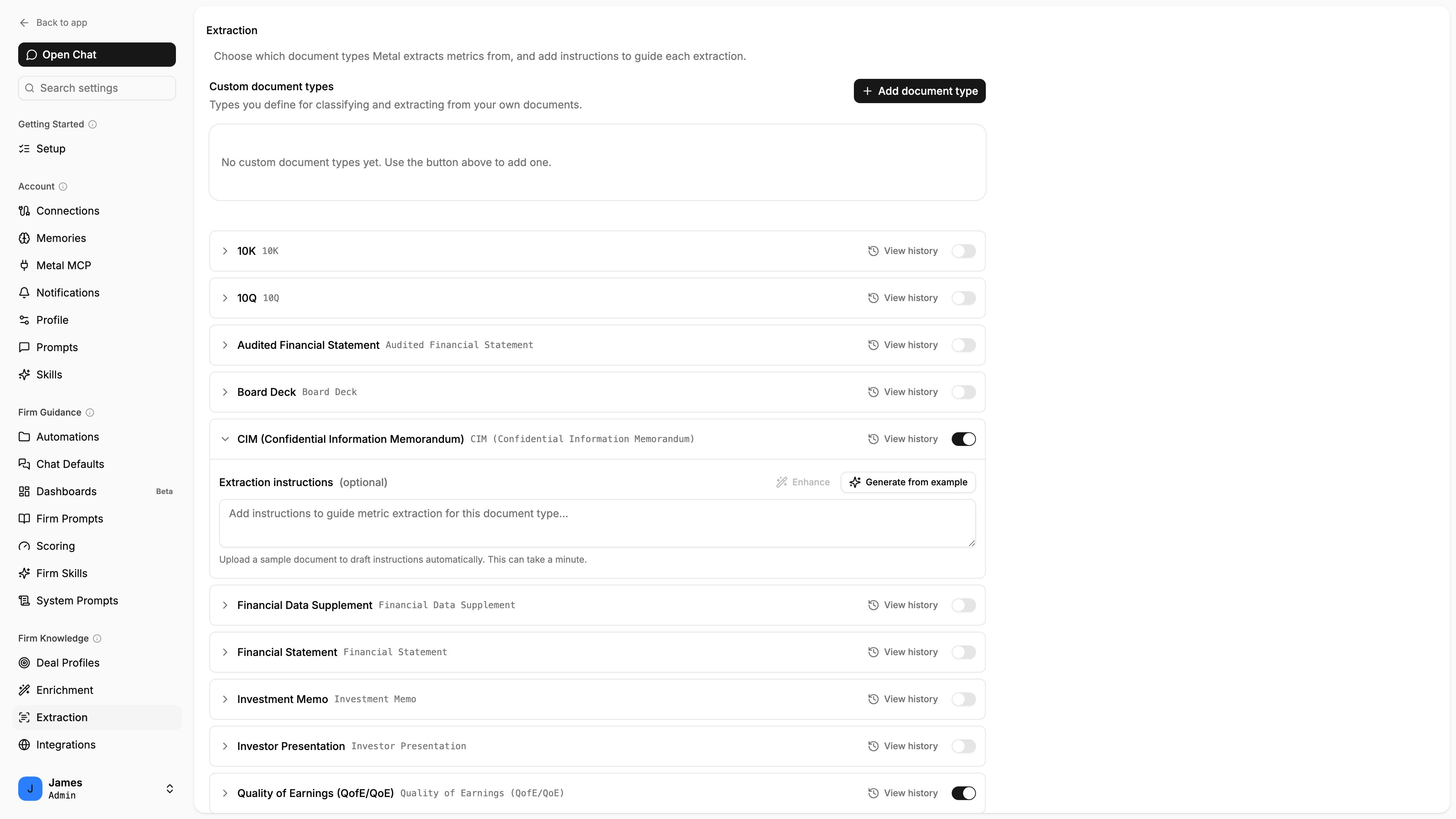
Add instructions to guide extraction for a document type.
Enrichment timestamps
Companies carry timestamps that tell you the state of enrichment:
If
lastEnrichmentStartedAt is newer than lastEnrichedAt, a run is in progress.
Enriching in bulk
To enrich many resources at once, add them to a list and trigger enrichment at the list level. Lists are the spreadsheet-like surface for working with resources in bulk, including computing enriched columns across every entry.Best practices
Create first, enrich second
Create a company with at least a
canonicalName (and a website when you have one) before enriching for the best match.Poll, don't block
Trigger enrichment and check back later; don’t hold a request open waiting for results.
Provide hints
The more identifying detail you supply (website, location), the more accurate enrichment is.
Batch with lists
Use lists to enrich large sets efficiently instead of looping one-by-one.