

API key credentials
An API key has two parts that are always sent together:
Send both headers on every request:
Create a key in the app
Create your first API key from the Metal app. You need an admin role to manage keys.1
Open API & MCP Access
In the Metal app, go to Settings → Organization → API & MCP Access.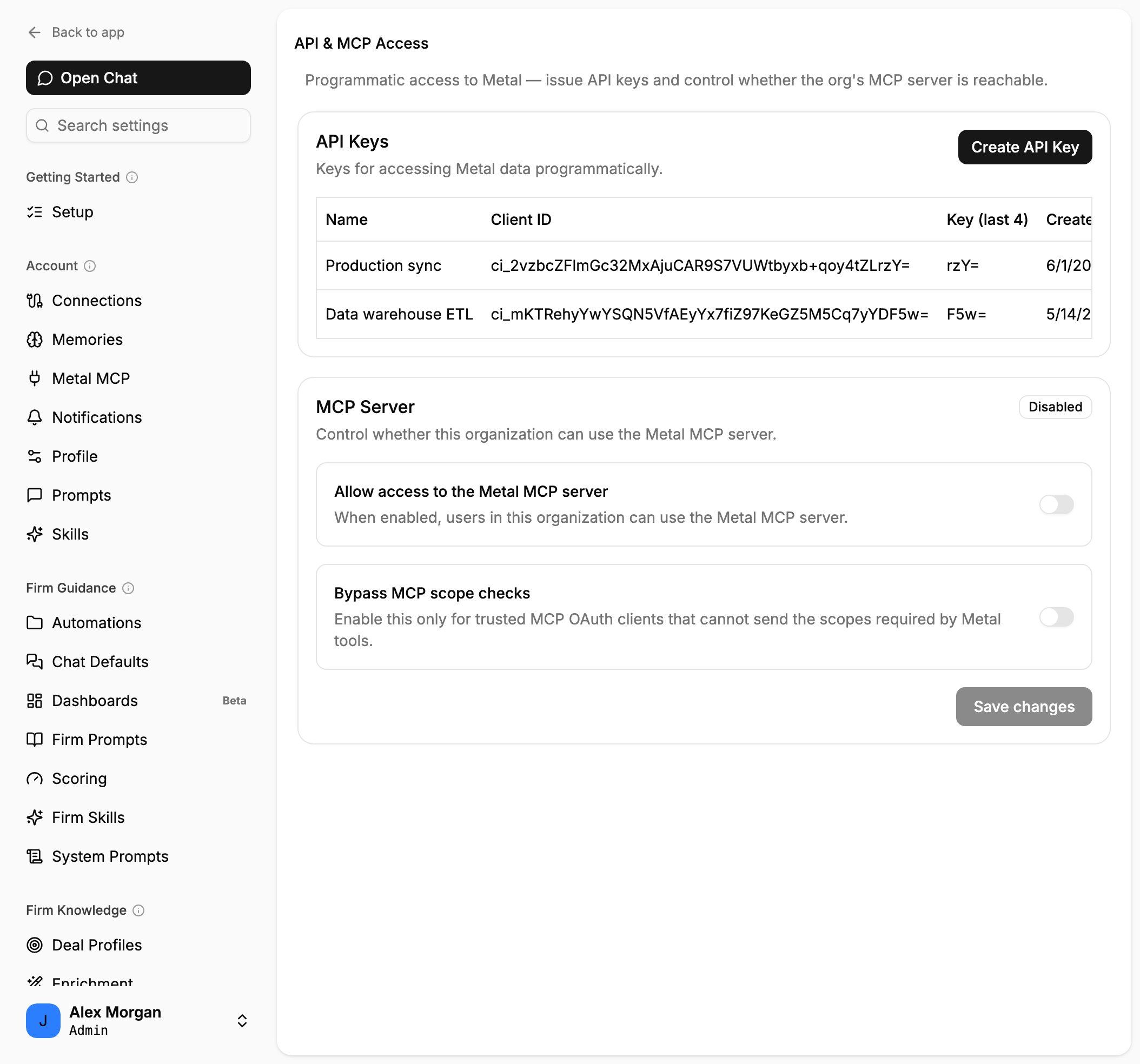
The API & MCP Access page lists your organization's keys.
2
Create a key
In the API Keys card, click Create API Key, enter a descriptive Name (for example, “Production sync”), and click Create.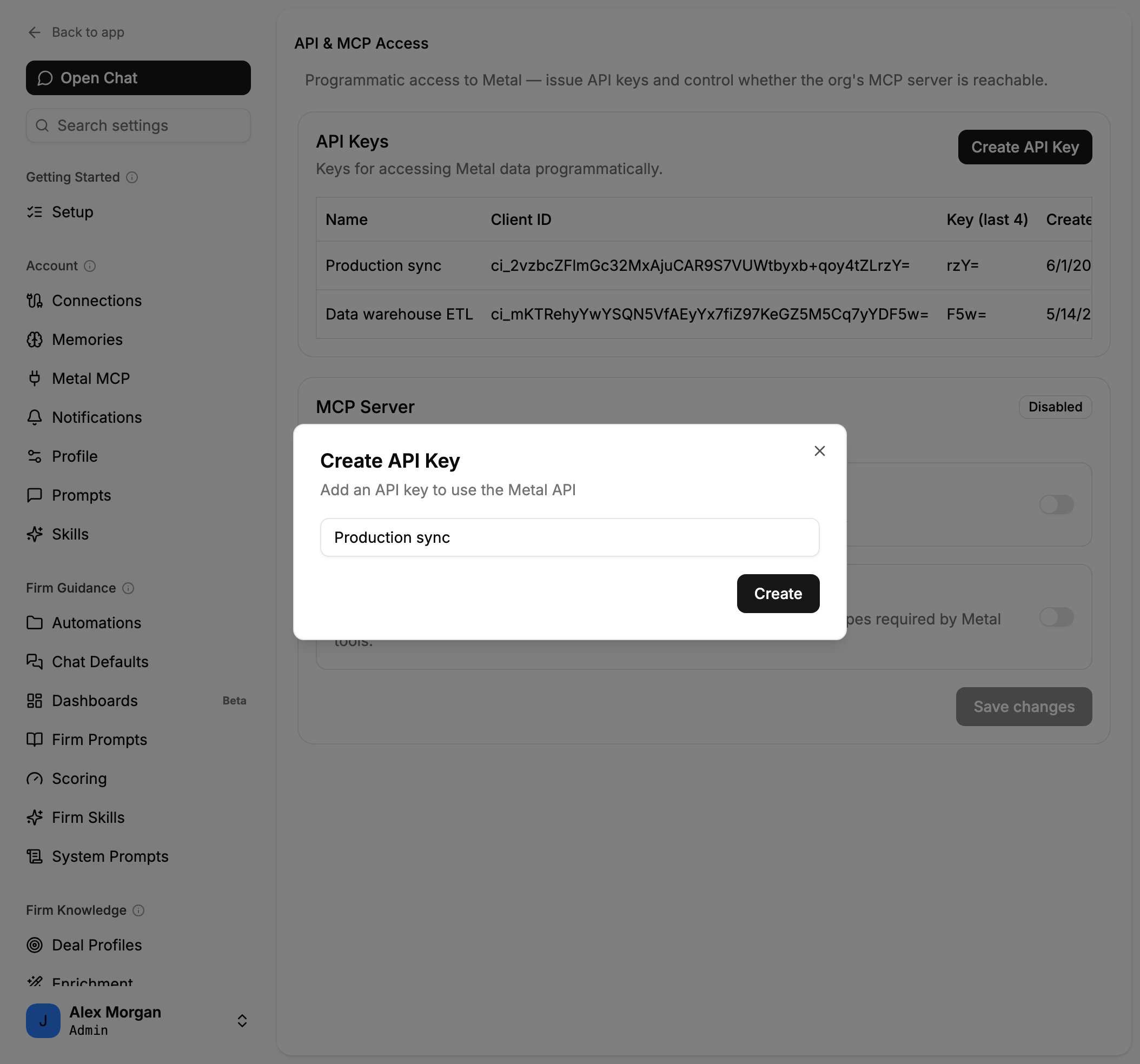
Give the key a descriptive name.
3
Copy your credentials
Metal shows the new key’s Client ID (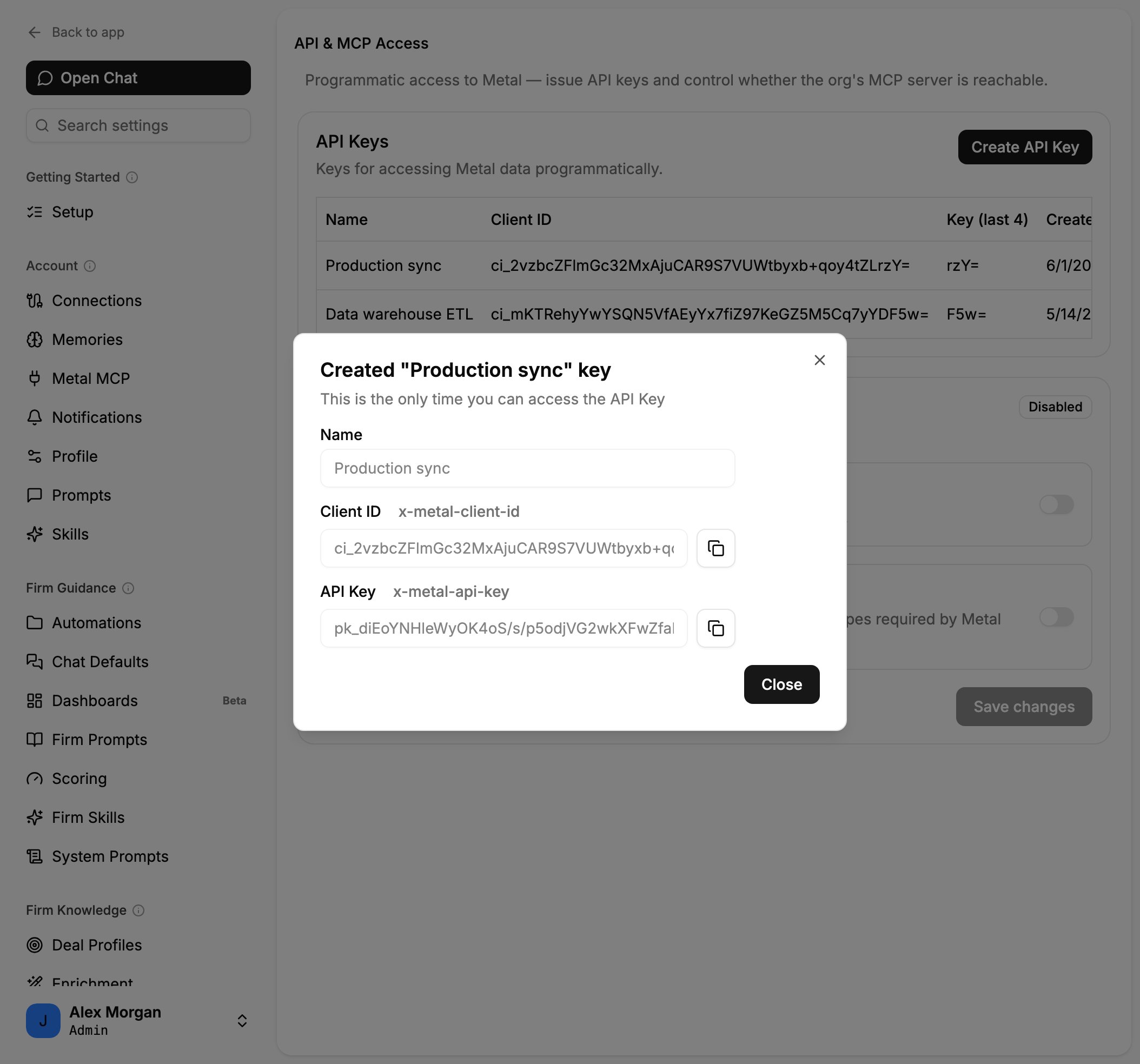
x-metal-client-id) and API Key (x-metal-api-key). Copy both and store them securely.Copy the Client ID and API Key. The secret is shown only once.
Manage keys with the API
Once you have a key, you can review and revoke keys programmatically with the API keys endpoints:GET /v1/keyslists every key in your organization. Secrets are never returned again, only metadata such asnameandkeyLastFour.DELETE /v1/keys/{key}revokes a key immediately. Revoked keys stop working within a short cache window.
Keys are created in the Metal app, not through the API. Use the app to create a key, then manage its lifecycle here.
Best practices
Use separate keys per integration
Create a distinct key for each integration or environment so you can rotate or revoke them independently.
Rotate regularly
Create a new key, deploy it, then delete the old one to rotate without downtime.
Store secrets securely
Keep keys in a secret manager or environment variables, never in source control.
Scope by purpose
Name keys after the integration that uses them so you can audit and revoke precisely.
Errors
If credentials are missing or invalid, the API responds with401 Unauthorized: